

Manually Sending Message Flows
Last updated February 14, 2026
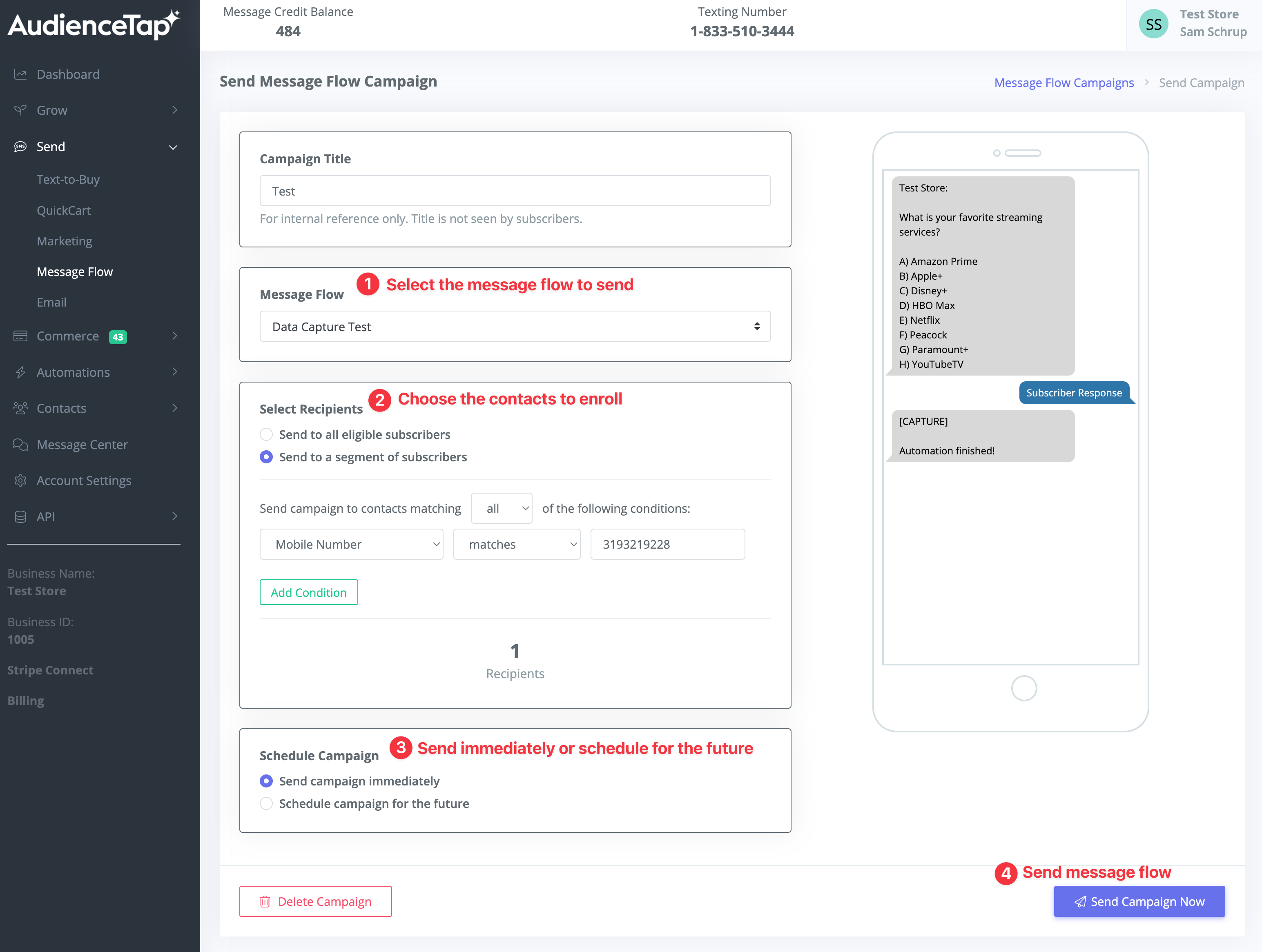
Send a Message Flow Campaign
A feature in the "Send" section of AudienceTap, Manual Sending allows you to manually enroll a list of contacts matching criteria of your choice into a flow—either immediately or scheduled for the future. This feature is ideal for:
- Public speaking events to trigger message flows based on start times and follow-ups.
- Data capture strategies to gather more information from clients for better targeting.
Copy a Message Flow
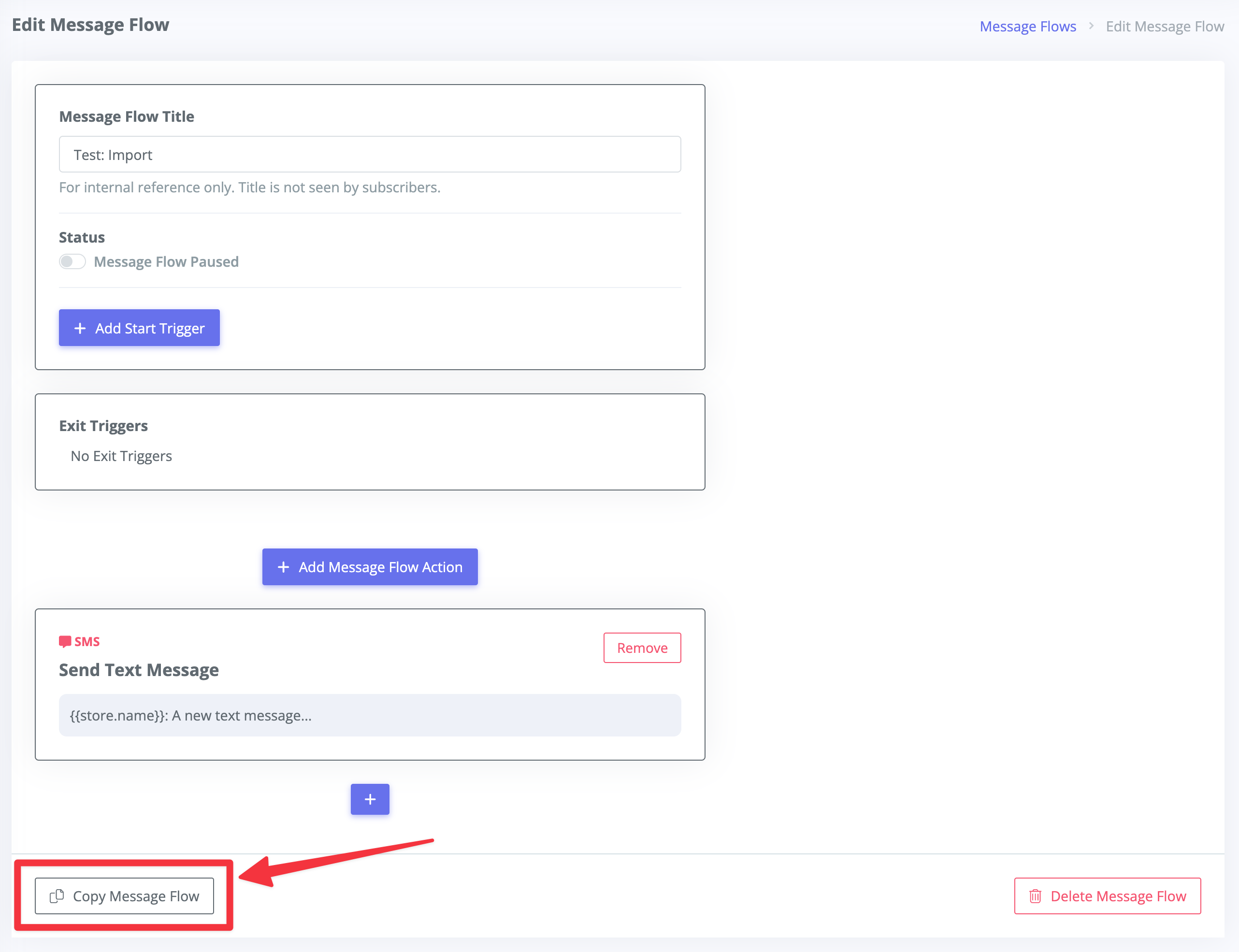
Create a copy of an existing flow with one click.