

QuickCart Setup Guide
Last updated February 14, 2026
QuickCart Guide
To create a QuickCart, navigate to Commerce > QuickCart.
QuickCarts can be tied to text campaigns, automations, or used with QR-Codes for live events. They can also be integrated into email marketing. Be sure to add your logo and title your QuickCart appropriately.
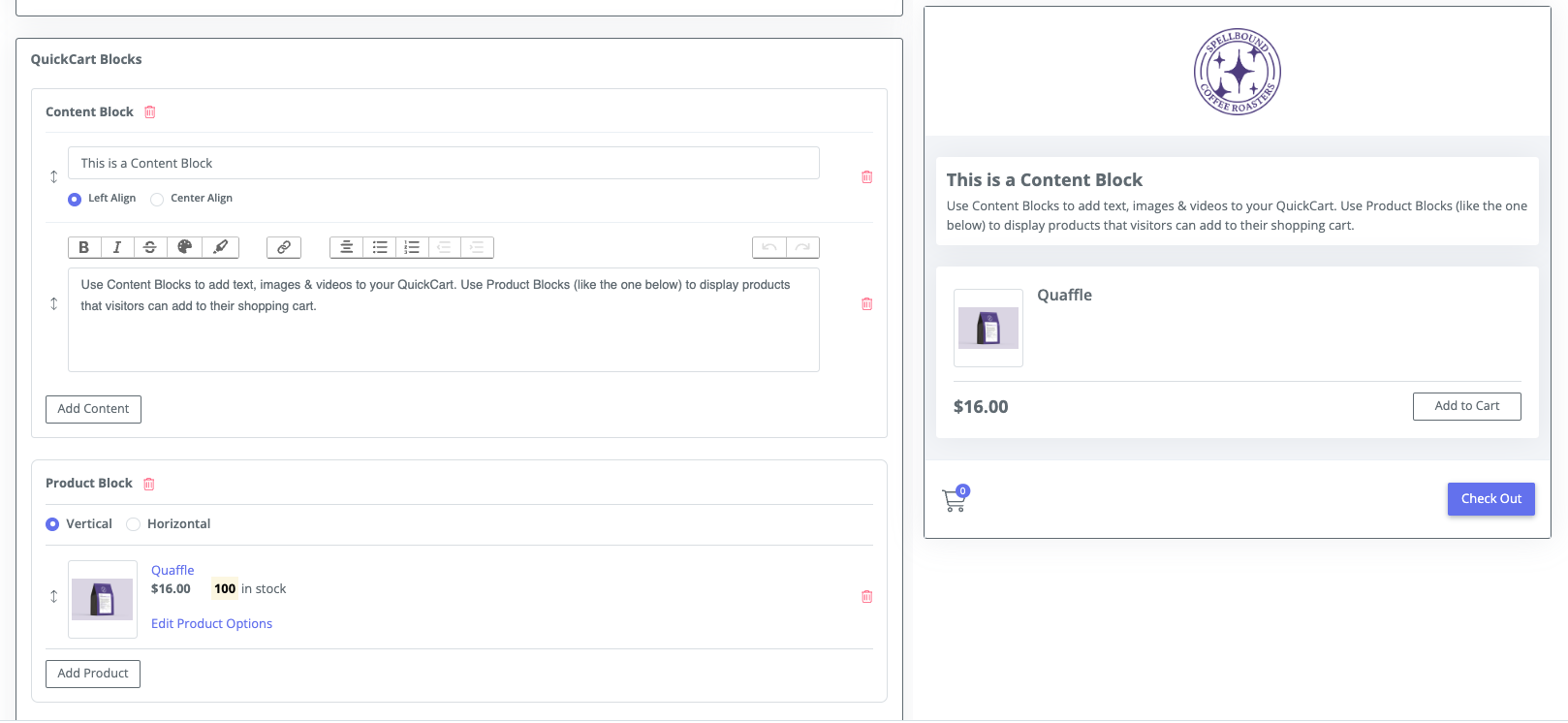
QuickCarts have two primary building blocks: product blocks and content blocks.
- Product blocks allow you to add multiple products from the catalog, which can be either physical or digital.
- Content blocks enable you to add text, images, videos, and more to customize the appearance of your QuickCart.
Customizing Products
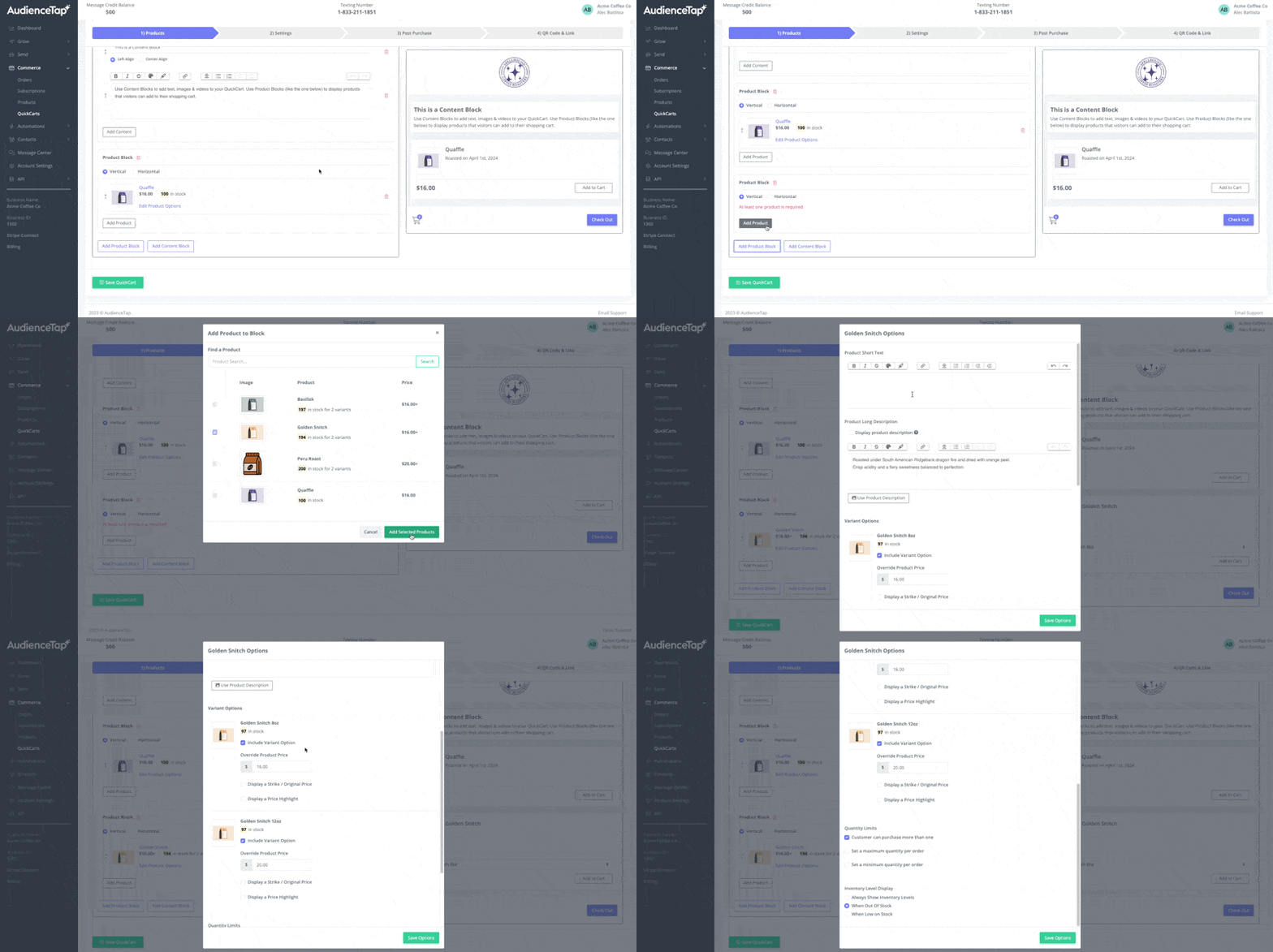
Each product can have descriptions, variants, pricing, and inventory settings. Products can be customized with pricing, discounts, minimum/maximum quantities, and shipping rules. There is flexibility in displaying products vertically or horizontally and handling different product types, such as donations or digital products.
QuickCart Settings
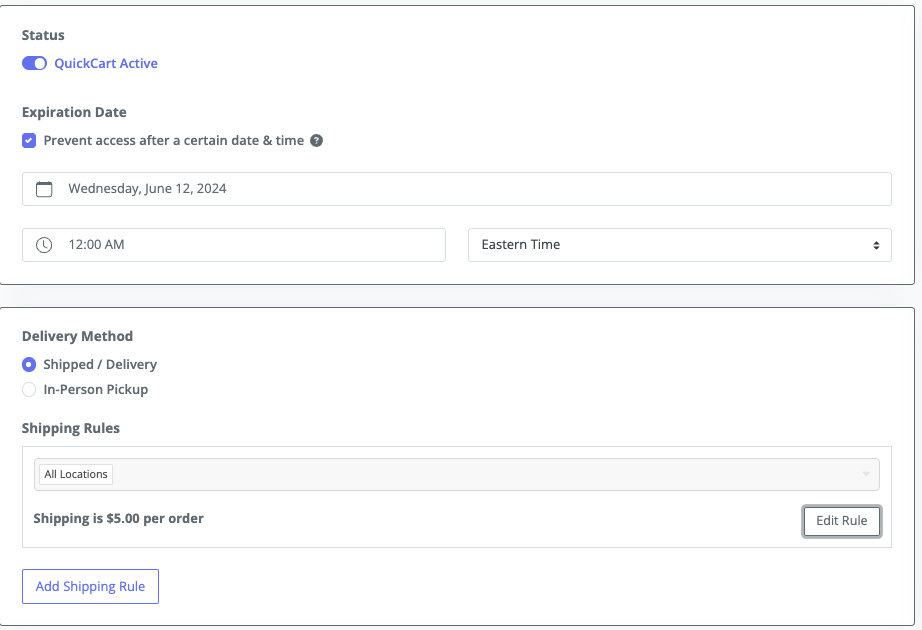
Quick Carts support advanced features like setting expiration dates, applying Shipping Riles and deciding on an appropriate delivery method.
Pre-Access Forms
Pre-Access forms are optional and are used for lead capture and precede the QuickCart, requiring users to provide information before accessing the offers. These forms can be customized to capture email addresses, names, and other necessary details.
Users who fill out the form are added to the text list and can then access the QuickCart's offers.
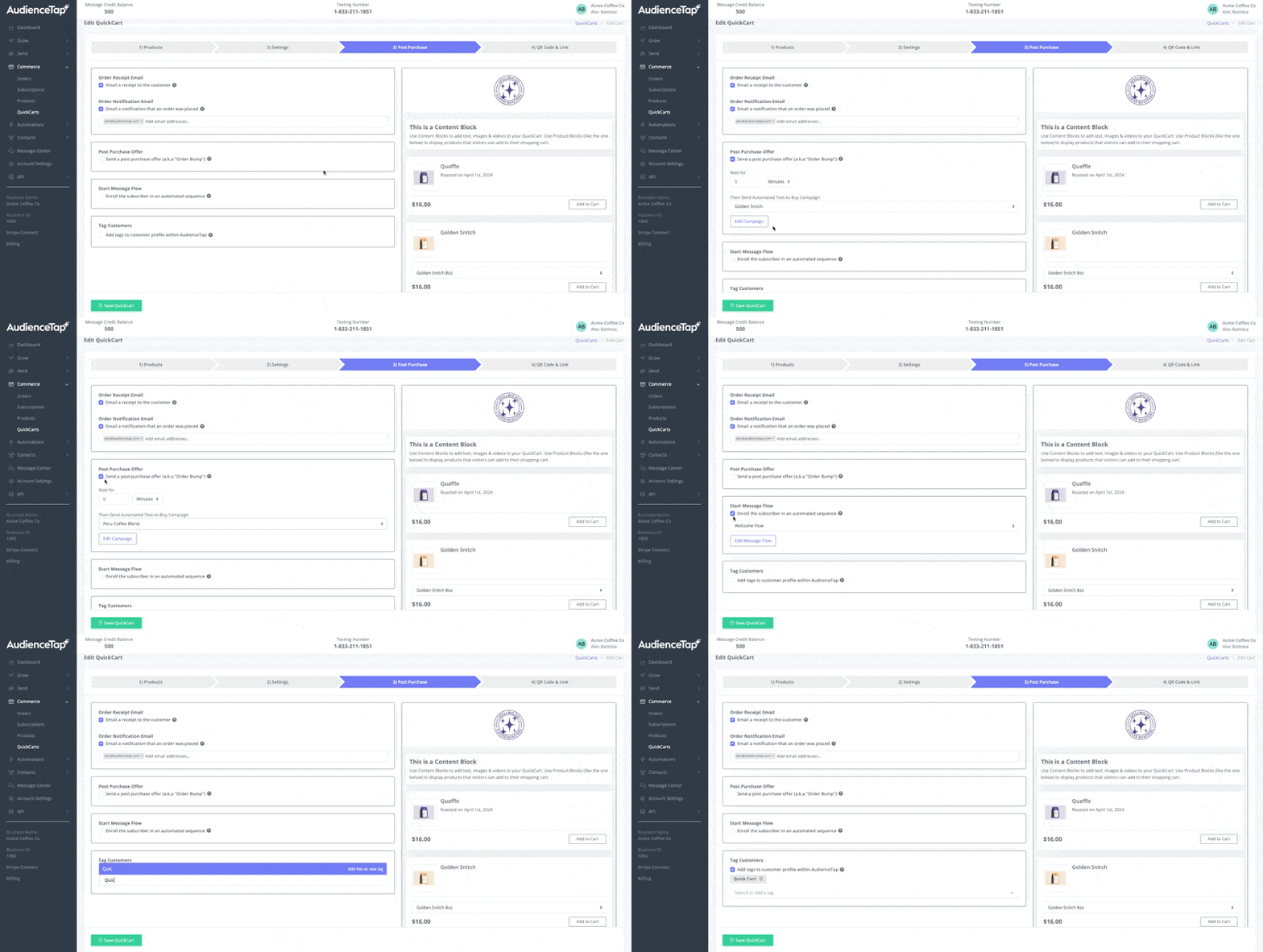
Post-Purchase Action
Once someone completes a purchase through a QuickCart, You can select an option to email a receipt to the customer or an email notification stating that the order was placed.
There is also an option to send an order bump as a post-purchase offer to generate more revenue.
Additionally, you can enroll customers in a pre-built message flow and tag them to track and engage with users through other campaigns.